
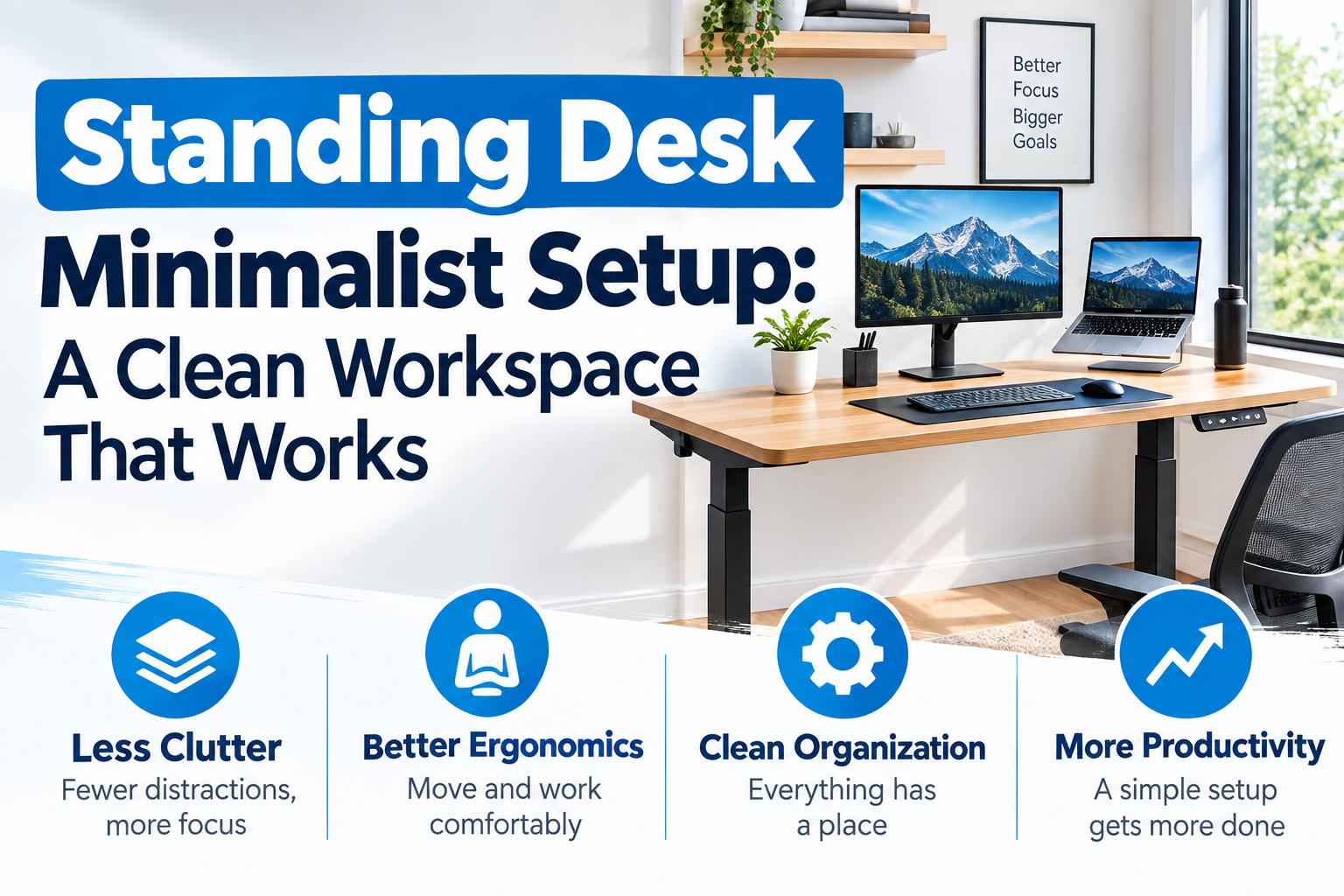
Standing desks are a breeding ground for clutter faster than most people expect. Monitors, chargers, keyboards, notebooks, speakers, and cables scattered all over the place eventually make the tabletop feel more like a storeroom than a place to work. I have reviewed many home offices over the years and have seen this pattern many times. Minimalism is not about emptying a desk. It means leaving only the tools necessary for the work in front of you and eliminating the visual and physical noise that gets in the way.
A minimalist standing desk setup is a height-adjustable workspace where you can see only the equipment you need and reduce unnecessary clutter with smart placement and storage. Every item is worth it because it has a clear purpose, a fixed place, and a reason to keep it in sight. Of course, this setup should support comfortable standing and smooth height adjustment. Otherwise, the clean look will become just an ornament.
What Makes a Standing Desk Setup Truly Minimalist?
There is a big difference between a minimalist desk and a desk that simply has nothing. Empty desks like having to go around looking for what you need every morning are impractical. In my experience, a better approach is to be selective.
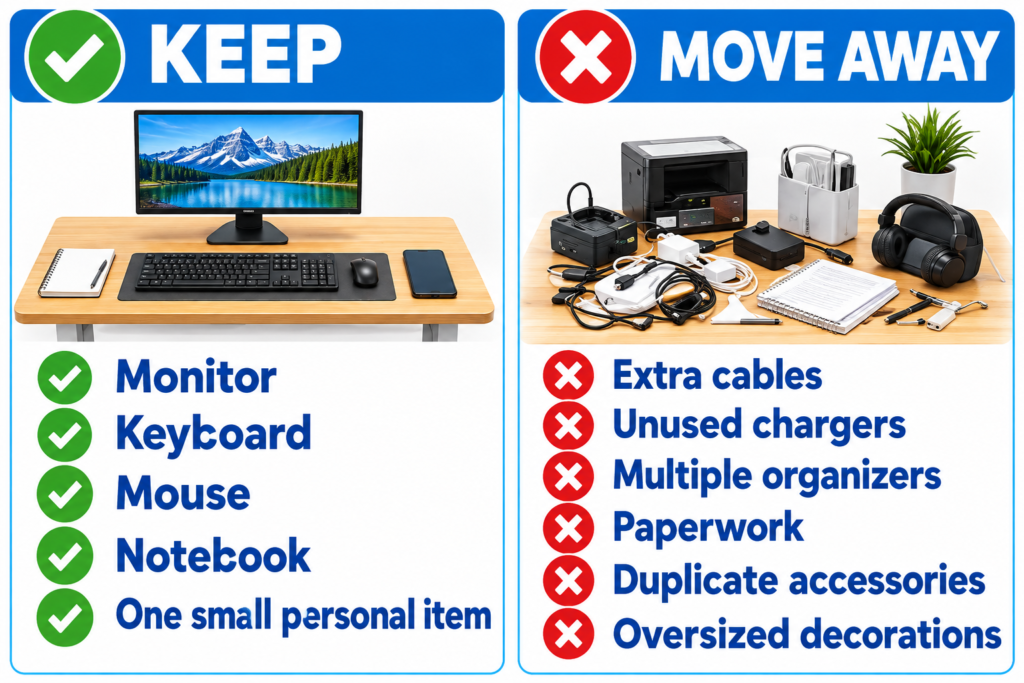
Limit your desktop to just what you need every day. It’s about one item you use frequently, like your main monitor or laptop, keyboard and mouse, or notebook. If you don’t want to take up space, you can put only one personal item. Everything else should be cleaned up. Store items you rarely use outside of your desktop, and keep chargers and power adapters under your desk to resist the urge to use your desktop as an open storage space. Visual unity is also important. Try to keep neutral colors, similar textures, and consistent shapes. If you’re looking for a calmer look, avoid excess brand logos and RGB lights. In many of the setups I have evaluated, consistency has more to do with the overall atmosphere than with any single product.
Start with a Desktop “Surface Budget”
This is a helpful way of thinking for me and many of the people I’ve spoken to. The desktop space is treated as if it has a limited budget. Before things start to grow, decide how much space you want to allocate to each category.
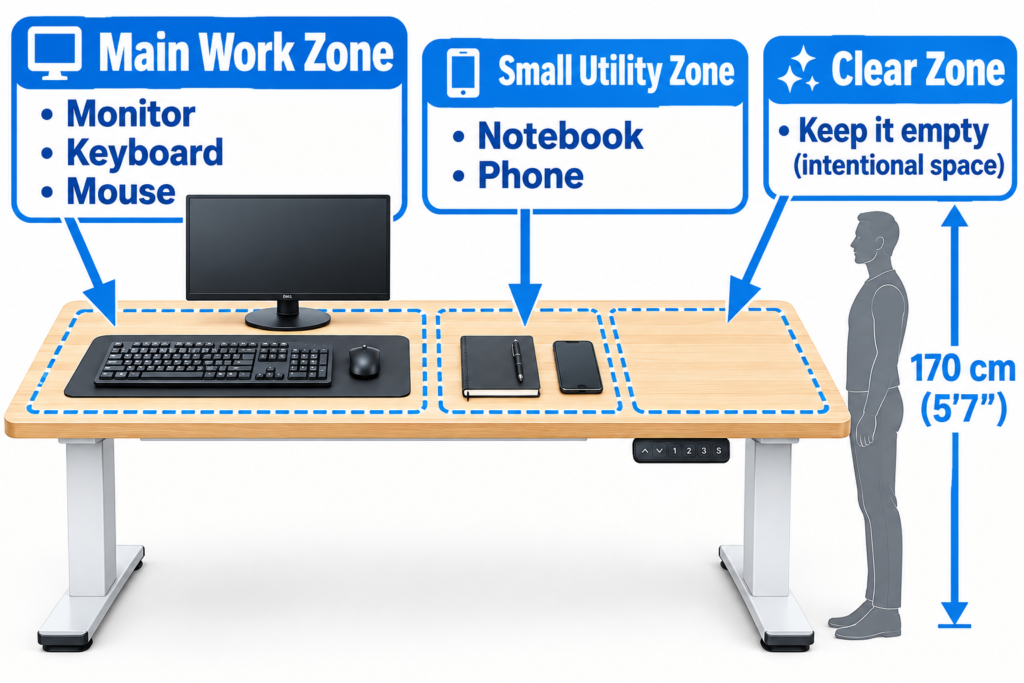
In the “working zone” place the monitor, keyboard and mouse. In the Accessory Zone, place your notebook, cell phone, charging pad, etc. only if you really need to keep them within reach. Then, intentionally secure a “clear zone” – that is, a space that is left empty. Free space is important because it gives you access to the tools you use most often, helps you clean up your desk faster at the end of the day, and prevents small items from gradually taking over your desk. As a result of comparing the different standing desk layouts, we found that intentionally securing free space is one of the simplest ways to keep your desk easy to use in the long run.
Choose Components that are Worth Putting on Your Desktop
Instead of stuffing accessories, let’s decide what it really is worth taking up space on the desktop.Let’s start with the main display. Usually, one main display looks cleaner than multiple displays scrambling for each other. Even if you only have a laptop set-up, it’s fine if you set the screen up high enough. If you add a monitor, avoid adding a second one just because you have space.
For keyboards and mice, choose a compact model to reduce visual clutter, and a wireless model to reduce visible cables. Place them in the center of the main work position. The Occupational Safety and Health Administration recommends that you relax your shoulders, approach your elbows to your body, and place the keyboard right in front of you so that your wrist aligns with your forearm. This guidance is also consistent with what I have noticed in actual use. In other words, fatigue appears faster when these devices are too far from the center or are not at the right height.
Lighting is also one of the “less is better” areas. Monitor lights and clamp lights can help prevent large lamp pedestals from interfering with your work space. Storage should be placed outside the desktop. It can be a drawer, under-desk storage, a small cabinet, or wall storage in the right place. The goal is to support the work, not to decorate around it.
Set the Standing Desk around Your Body, Not the Aesthetic
Many minimalist ideas focus on the appearance of the desk in the picture. In reality, however, the most important thing is to get the right attitude for your body. When I first switched to a standing desk, I took too much time to pursue a clean look and not enough time to fine-tune the height. That was a mistake I made myself.
Adjust the height of your desk so that your elbows are close to your body and your shoulders are relaxed. Keep the wrist in the most natural position possible by keeping the shoulders elevated so that the keyboard is within reach. In my years of experience, the head is held straight, the shoulders are relaxed, the elbows are close to the body, and the wrist is aligned with the forearm. This idea of a natural posture applies equally to sitting and standing.
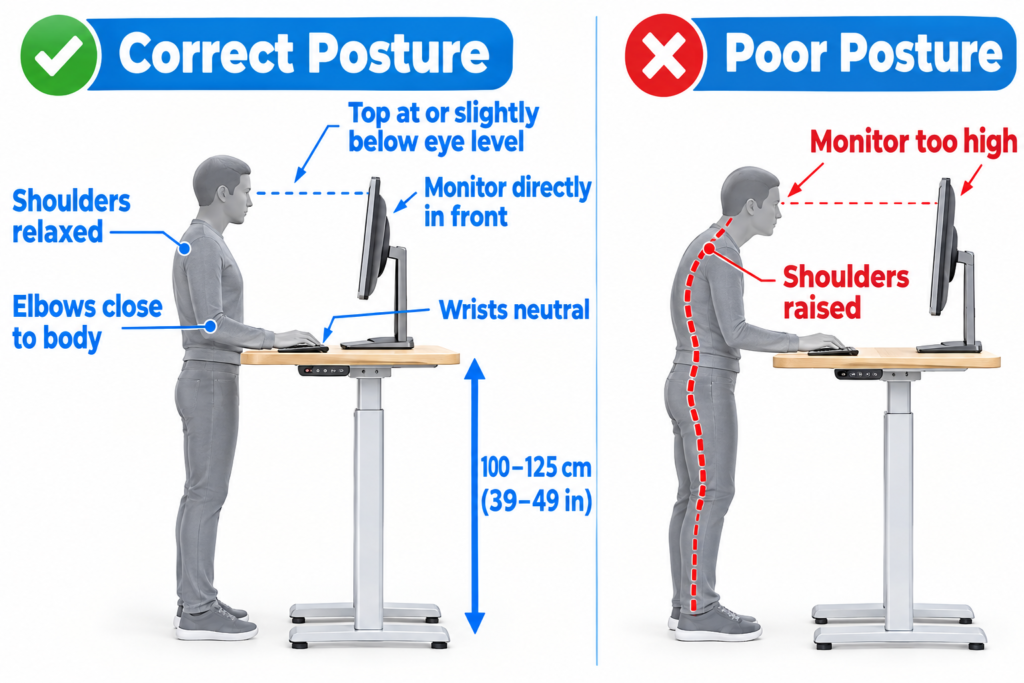
Before adding decorative elements, first decide on the position of the monitor. Place the monitor right in front of you. Make sure that the top edge of the screen is at eye level or slightly below it, and that there is enough viewing distance to avoid bending forward. At least 20 inches is a good measure. For more information on setting the proper height, see Ideal Height for Standing Desk Monitors.
Allow yourself time to change your posture. Cables and accessories should not lock the height of your desk or obstruct movement. A minimalist standing desk set-up works best when it helps you change your posture rather than forcing you to stay still.
Hide the Clutter Without Hiding the Function
If the cables are messy, the tidy desk will quickly become messy. Put the cable through the back and store it behind or under your desk. Make sure that the cable does not hang in a loop on the surface of the desk. Ideally, the power adapter should be placed just below the work surface so that it is within reach but not visible.
Make sure that you have enough room to keep the cable from being pulled even if you adjust the height of the desk to the maximum. For more information on how to clean up your power and connecting cables, see Setting up a docking station.
Build a Minimalist Look With Materials and Color
Visual unity comes from some intentional choices, rather than matching it to a specific Instagram style. Narrow down the main surface finish to one—natural wood, white, black, or bright neutral color and use it consistently. Accent colors are limited to one primary color and possibly one secondary color.
The frame of the desk should blend into the background by minimizing the clean lines and noticeable fittings. Avoid hanging anything on the front. In the home office layouts I have reviewed, this modest approach has been more appealing in daily use than contrasting or branded furniture.
What to Remove From a Minimalist Standing Desk
A practical tidy-up list is more useful than just a mood board. Move or dispose of unused notes, extra charging cables, duplicate tidying supplies, unused speakers, too-large ornaments, duplicated accessories, packaging materials, documents, devices not currently used for work, and large items blocking the main work space.
Try the one-week test. If you haven’t used an item on your desk in the past week, move it to another location to see how the space feels. When you apply this standard, most people will notice that there are surprisingly few things that they actually need within their reach.
A Minimalist Standing Desk Setup You Should Copy
Here are some layouts that worked well in the environments I actually tried and observed.
- On the Desk: a monitor, a compact keyboard, a mouse, a small desk mat if you like the feel of the surface, and a laptop or smartphone. Under the desk: power tap, charger, extra cable, rarely used accessories.
- Beside the Desk: Space for storing other things that you don’t need to put in a visible place.
- Two Displays: Place them side by side so that the keyboard and mouse are centered and the remaining space is available. Do not use separate stands if the arm can adjust the required height and angle.
- Laptop is the Main Choice: raise your laptop to the right height, add an external keyboard and mouse as needed, and leave the rest of the space free.
Minimalist Standing Desk Mistakes That Make a Clean Setup Harder
If you buy up some supplies before you clean up the existing clutter, you’ll only get more. If your desk is too narrow, your monitor, keyboard, and mouse will have to be in an unnatural position. If you prioritize appearance over ease of adjustment, it will look good, but it will become an environment that puts a burden on the neck and shoulders. Forgetting to move is a common problem. Standing in the same position is different from a dynamic workstation. Ergonomic studies at Cornell University show that standing can be more exhausting than sitting, highlighting the importance of changing your posture rather than treating it as a fixed one. Leaving the temporary clutter undisturbed can unknowingly be a detrimental factor to your health. Chargers, documents, accessories, etc. will remain scattered forever unless there is a fixed storage space for all items.
To learn more about the balance between sitting and standing time, see How much time should you stand on a standing desk to increase productivity and comfort.
Minimalist Standing Desk Checklist
- Only everyday items are in sight
- Monitor position is appropriate
- Keyboard and mouse within reach
- Cables are wired away from the center of the work surface
- Power supplies are organized under the desk
- Cables are not pulled when adjusting the height of the desk
- There is intentionally free space on the desk
- Rarely used peripherals are in separate storage locations
- Work comfortably in a standing position
Make the Standing Desk Simpler, Not Bare
Minimalism is not a style of decoration, but a system. Leave only useful tools, eliminate unnecessary visual noise, place what remains around you, and decide where to store everything else. Sometimes, try to rearrange it. What you thought was essential last month may not need that place today.
What I realized is that the longest and tidy desk is not a finished product, but a work tool. Just a quick weekly check, tidying up the tabletop, putting things you rarely use back in place, and making sure the height is still right can prevent you from starting to clutter more effectively than any sort of organizing item.
The goal is not to make it the most empty standing desk, but to make it the simplest desk that allows you to comfortably perform actual daily tasks.

Muhammad Arslan is the founder and owner of Bashufy. After years of working with uncomfortable desks and learning the importance of better posture, he shares honest standing desk reviews, buying guides, and ergonomic tips based on research and real user experiences to help readers make better choices for their home office setup.