
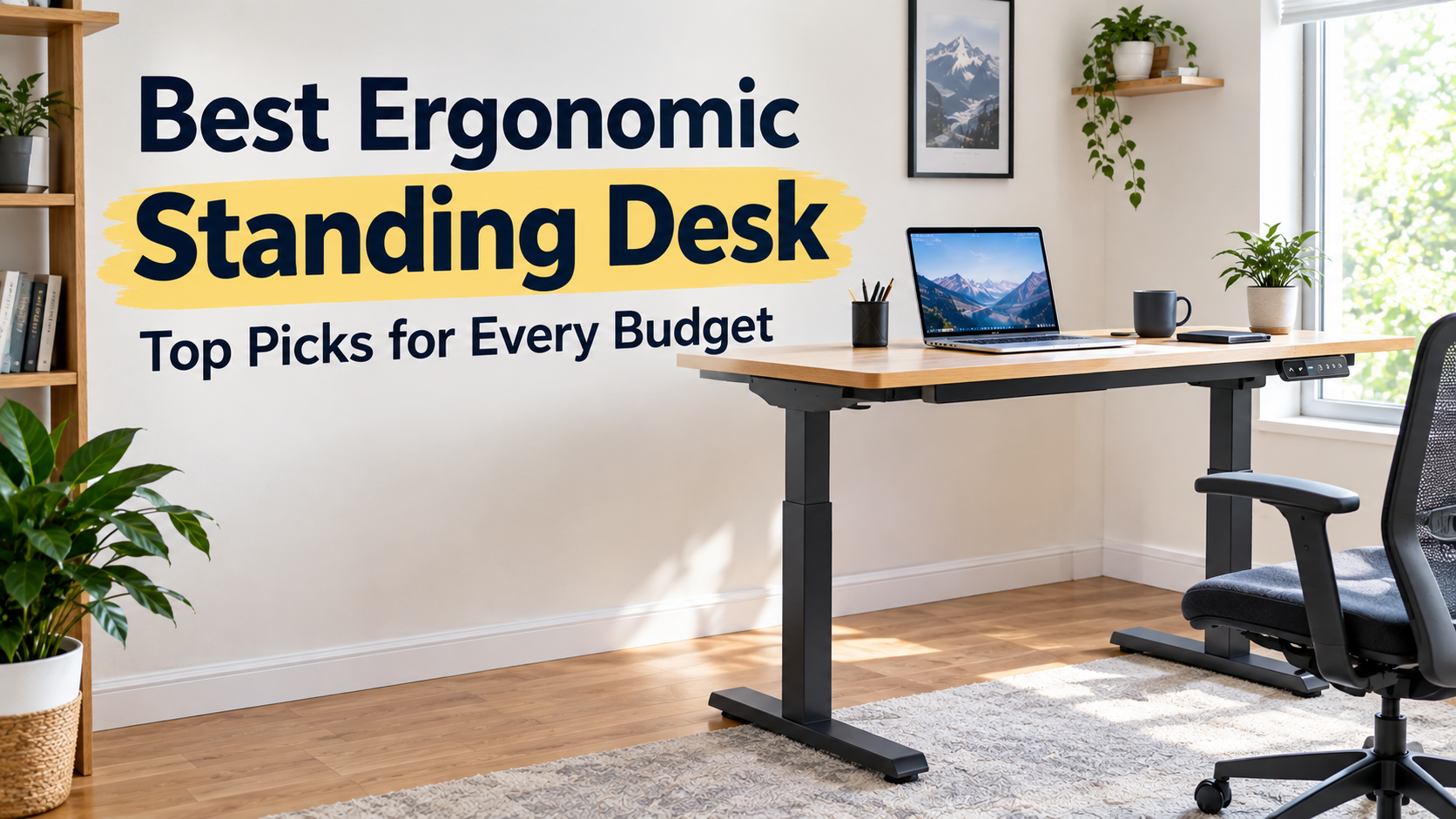
If you’ve worked with kitchen chairs and desks that haven’t been designed with your body in mind in the last few years, you’ll know how much it’s costing you. Around 3 p.m., your back hurts, your shoulders curl forward, and in the evening, you will be stretching to relieve stiffness that should not be done in the first place. Sitting for eight hours a day puts a greater strain on your spine than when you stand. That’s why ergonomic standing desks were once only a niche office upgrade, but have now become one of the most sought-after home office products online.
At Bashufy, I thoroughly analyzed the price data, manufacturer specifications, and independent research, and created this guide. This sets it apart from the usual Top 10 list, which repeatedly presents the same five desks recommended by everyone else. Whether you have a budget of only $70 or $700, here are some really good and ergonomic options:
Why an Ergonomic Standing Desk Matters (Backed by Research)
Before introducing the recommended products,I would like to tell, it is worth understanding why this category of furniture is so popular. This is not just marketing hype.
Science of Posture and Spinal Stress
When sitting, the spine loses its natural lumbar curve and receives about 40% more load than when standing upright [ Read More ] . Over time, that extra load contributes to the chronic low back pain that many desk workers complain of. With a standing desk, you can keep that natural curve for part of the day, which is one of the simplest ergonomic measures available.
Productivity gains are proven
This is not only about improving comfort, but it also affects business outcomes. Researchers at the Texas A&M Center for Health Sciences’ School of Public Health followed call center employees for six months and found that employees using standing desks were about 46% more productive than their colleagues working on traditional sit-down desks. This is one of the largest productivity gaps in the workplace ever recorded in ergonomics research.
Blood Sugar and Metabolic Health
Several clinical studies have been conducted on how alternating between sitting and standing affects metabolic markers. A 24-week study in the workplace showed measurable improvements in fasting triglyceride levels and insulin resistance in employees who regularly used their sitting desks. Another study of postprandial blood sugar response found that even when the steps were the same between groups, standing was significantly less likely to increase blood sugar than sitting. This suggests that the act of standing itself is an important factor, not just an increase in the amount of exercise.
Cognitive Benefits, According to Mayo Clinic
A recent study at the Mayo Clinic, led by preventive cardiologist Dr. Francisco Lopez-Jiménez, revealed that implementing an active workstation in an office environment can significantly reduce sitting time and improve cognitive function. Given that many office workers spend more than eight hours a day sitting, the study provides compelling evidence not only for physical benefits, but also for improved cognitive function.
Quick Comparison: Best Ergonomic Standing Desks at a Glance
| Product name | Recommended Points | Height Adjustment Range | Load Bearing | Motor | Warranty Period | Price |
| FlexiSpot E7 Pro | A holistic ergonomic design model | 25-50.6″ | 440 lbs | Dual | 15 years | $400-$600 |
| ErGear Electric | Emphasizing cost performance | 28.3-46.5″ | 176 lbs | Single/Dual Options | Limited Warranty (2-5 years) | $150-$250 |
| FEZIBO Electric | Cospa model for home office | ~27-46.5″ | 176 lbs | Single/Dual | 2-5 years | $100-$300 |
| Vari Electric | Premium ease of use | 25-50.5″ | 180–220 lbs | Dual | Lifetime guarantee | $650-$900 |
| Secretlab MAGNUS Pro | For Gaming/Creators | 25.6-49.2″ | 265 lbs | Dual | 5 years | $900-$1,100 |
| VIVO Electric | Compact space | Approximately 24-49 inches | 176-330 pounds | Single/Dual | 3-5 years | $200-400 |
Top Picks for the Best Ergonomic Standing Desks
After comparing the stability during typing, the smoothness of the height adjustment, the posture support during long-term use, and the compatibility with the equipment used on a daily basis, the following products stood out.
- Best Overall Ergonomic Standing Desk: FlexiSpot E7 Pro
There’s a good reason why this product is consistently ranked high in 2026 reviews. The dual motor runs smoothly and quietly, and the 440-pound load capacity provides ample room for dual monitors, desktop towers, and accessories. The height adjustment range is about 25 to 50.6 inches, which is suitable for most users, including tall people who need space to stand without shrugging. Thanks to the memory preset function, you can quickly change your posture, so you’ll be asked to change your posture frequently during the day. Even at heights over 42-45 inches, when many desks start to wobble during typing, stability is unwavering.
Key Features: Dual motor, 4 memory presets, anti-collision function, heavy duty steel frame, optional cable management function.
Ergonomic Benefits: Wide height adjustment range works well for ergonomic
Pros: Excellent load capacity for multi-monitor environments, quiet operation.
Cons: The top plate needs to be purchased separately because the frame is sold alone; some people prefer a design with a wider foot space.
Why I love it: Ideal for professionals and remote workers who want long-term reliability without going into the ultra-high price range.
- Best Budget Ergonomic Standing Desk: ErGear Electric Standing Desk
Whether you’re trying it out first or setting up a simple home office, ErGear offers solid basic performance that’s no less expensive than its predecessor. The height can be adjusted from about 28.3 to 46.5 inches, which is the range where most people can find a comfortable sitting or standing posture. The steel frame is also stable when using a laptop or a single monitor, and the motor’s operating sound is also quiet enough to use in a shared space. The operation is simple, and it is not difficult for most people to assemble.
Key Features: Memory presets (usually 3-4), steel frame, silent motor, support for various desktop sizes.
Ergonomic Benefits: An affordable way to alternate your posture and reduce sitting for long periods of time.
Pros: Price, ease of use, sufficient stability in everyday use.
Cons: Low load capacity makes it unsuitable for heavy dual monitor + PC setup. The range of motion is narrower than the premium model.
Why I love it: Recommended for beginners with limited budgets or as a second workspace.
- Best Ergonomic Desk for Home Offices: FEZIBO Electric Standing Desk
The FEZIBO models are affordable yet have the right monitor placement and a spacious desktop space to place your keyboard. The smooth motorized height adjustment, the frame with enough stability for daily use, and practical features such as cable hooks and trays keep your desktop clean. The adjustable legs allow you to deal with the slight unevenness of the floor that you often see in old home offices. It firmly supports the office equipment used on a daily basis without feeling cheap.
Key Features: Motorized height adjustment, preset memory function, steel frame, rich size development around 48 to 55 inches.
Ergonomic Benefits: Easy to switch between sitting and standing positions, facilitating movement. The large table helps to maintain the correct posture.
Pros: Cost-effective, price-appropriate features, quiet operation.
Cons: Load capacity is about 176 lbs. Not suitable for the heaviest multi-monitor gaming PC.
Why I love it: Typical telecommuters who want space and functionality without overspending their budget.
- Best Premium Ergonomic Standing Desk: Vari Electric Standing Desk
The Vari features a robust T-shaped frame that minimizes wobbling and a 25-50.5-inch height adjustment range that is also suitable for tall users. The dual motor enables smooth and quiet height adjustment. The assembly is surprisingly quick, and according to many reviews, it is often completed in less than 10 minutes, which is a big advantage for those who want to start training immediately. The professional-grade laminate top is sturdy and comes with a lifetime guarantee, so you can rest assured.
Key Features: Dual motor, 4 preset memory, quick tool-free assembly, lifetime guarantee.
Ergonomic Benefits: Excellent stability supports consistent posture, and a wide range of height adjustment ranges are available for a variety of physiques.
Pros: Manufacturing quality, warranty, quick setup.
Cons: Load capacity (about 200 lbs) is lower than some dual-motor competitors; cable trays often need to be purchased separately.
Why I love it: Professionals who value stability and long-term support.
- Best Ergonomic Standing Desk for Gaming and Creators: Secretlab MAGNUS Pro
In addition to its gaming-desk-like appearance, this desk also has an ergonomic aspect. Multiple monitors can be placed on a spacious metal-reinforced tabletop, and the built-in cable management system (power wiring through the legs, full-length tray) keeps the workspace neat and tidy, so you don’t have to worry about losing your posture. A stable steel frame, smooth dual-motor height adjustment in the range of 25.6 to 49.2 inches, and support for monitor arms help you maintain the correct posture during long hours of work.
Key Features: Dual motor, integrated cable system, magnetic accessory ecosystem, load capacity 265 lbs.
Ergonomic Benefits: A clean setup reduces the burden of wiring. A stable platform for multi-screen work.
Pros: Cable management function is the highest level I have ever seen, making sturdy and precise adjustment.
Cons: Higher price; Due to the metal top plate, some users may need to use a mat.
Why I love it: Gamers, streamers, and creators building complex multi-monitor environments.
- Best Compact Ergonomic Standing Desk: VIVO Electric Standing Desk
For home offices in narrow rooms and apartments, VIVO frames and a set of desks are ideal. It has a compact footprint and an appropriate height adjustment range (typically 24-49 inches, depending on the model). It’s easy to use, stable enough for everyday laptop use and mild dual-monitor work, and easy to set up, so even beginners can use it easily. If required, dual motor specifications with higher load capacity are also available.
Key Features: Height adjustable frame or desk set, memory preset function on many models, made of steel.
Ergonomic Benefits: Allows you to change your posture while remaining in a limited space.
Pros: Flexible size, high cost performance and quiet motor.
Cons: Entry models have low load capacity; check the specific frame for your height.
Why I love it: Small home office or beginners who want to try this concept.
How I Chose the Best Ergonomic Standing Desks
All the desks listed in this list are rated based on the same criteria. So, instead of comparing marketing phrases to each other, you can compare them on the same terms.
Height adjustment range — Can users from 5 to 6 5 comfortably use it?
Load Capacity — Is it strong enough to hold monitors, laptops, and peripherals?
Motor type — single or dual motor, and how it affects stability and speed
Noise Levels — Quiet Motors Are Important During Shared Spaces and Video Calls
Height preset function — Can you save the ideal sitting height and standing height?
Cost performance — Is the value actually worth the price, not just the list price?
Manual vs. Electric Standing Desks — Which Is More Ergonomic?
The desk, which is manually cranked to adjust the height, is the most affordable option, and also has the key ergonomic benefits of alternating between sitting and standing postures. The price is convenient. Adjusting the height takes physical strength and time, so it tends to adjust less often than it should be.
In contrast, an electric desk can be raised or lowered with the push of a button. It is also easy to accurately reproduce the sitting and standing postures of models with preset functions. If you have a budget, the electric desk is generally a better choice in terms of removing barriers to establishing habits.
Key Features to Look for in an Ergonomic Standing Desk
Height Adjustment Range
Choose something that can cover your height. In general, the range of 23-48 inches is suitable for most adult users.
Load Bearing
Add up the weight of your monitors, laptops, and peripherals, and choose a desk with a load capacity well above that. Most of the high-quality desks featured in this guide are compatible with 110-155 lbs or more.
Height Presets
With 3-4 height presets programmed, you can instantly switch between saved positions depending on your family and your work.
Motor Noise Levels
Some new electric desks claim that the motor runs at less than 50 decibels. This is unobtrusively quiet for video calls and shared workspaces.
Tabletop Size and Cable Management
If the tabletop is too small, the monitor will be poorly positioned, which will spoil ergonomic benefits. A built-in cable tray and grommet also help keep your workspace tidy and in the right position.
How to Set Up Your Standing Desk Ergonomically
Buying the right desk is only half the way to success. To get the most out of it:
- When sitting or standing, keep your elbow at an angle of about 90 degrees.
- The monitor should be positioned so that the top edge of the screen is at or slightly below the eye level.
- Start slowly at first. Don’t sit or stand all day, but sit and stand every 30-60 minutes. The above-mentioned research on productivity and metabolism is based on the case of gradually introducing standing work rather than switching between “all or nothing”.
- If you are standing for a long time, use a fatigue-reducing mat. Hard floor surfaces can cause discomfort over time.
Frequently Asked Questions
Is an ergonomic standing desk worth its price?
For many, it’s worth it if it’s an alternate use with sitting rather than standing all day. The Occupational Safety and Health Administration (OSHA) guidelines for computer work environments recommend height-adjustable environments that support a neutral stance. Alternating between sitting and standing work can reduce the risk of staying in the same position for long periods of time.
What is the ideal standing desk height?
The elbow is about 90 degrees, the shoulders are relaxed, and the wrist is straight. Measure both sitting and standing. Many good desks cover the range required for the average adult height.
Should I choose a dual motorized standing desk?
Yes if you have a budget and use heavy equipment or change the height frequently. Dual-motor types tend to be smooth, quiet, and durable.
How much weight should a standing desk withstand?
For a basic setup, at least 150-200 lbs is required. If you are installing dual monitors, PCs, arms, accessories, etc., aim for a load capacity of 300+ lbs or more so that you can use it comfortably with plenty of room.
Final Verdict: Which Ergonomic Standing Desk Should You Buy?
If I were to set up a standing desk for the average user today, I would start with the FlexiSpot E7 Pro. The balance of stability, load capacity, height adjustment range, dual motor, guarantee, and price also feel affordable. If you have a tight budget, ErGear and FEZIBO will help you develop the habit of standing desks without overspending your budget. If you’re looking for luxury and a lifetime guarantee, there’s nothing better than Vari. Creators and multi-monitor users will benefit from the cable management and workspace of Secretlab MAGNUS Pro. VIVO is suitable for compact spaces.
One of the biggest lessons I learned from my years in this field is that standing desks are useless if you don’t actually sit back and forth. Combine the habit of correct posture with some useful accessories. Check the current price and specific specifications, measure the installation space, and choose the one that suits your actual work style.

Aamir Riaz is the founder and owner of Bashufy. After years of working with uncomfortable desks and learning the importance of better posture, he shares honest standing desk reviews, buying guides, and ergonomic tips based on research and real user experiences to help readers make better choices for their home office setup.